
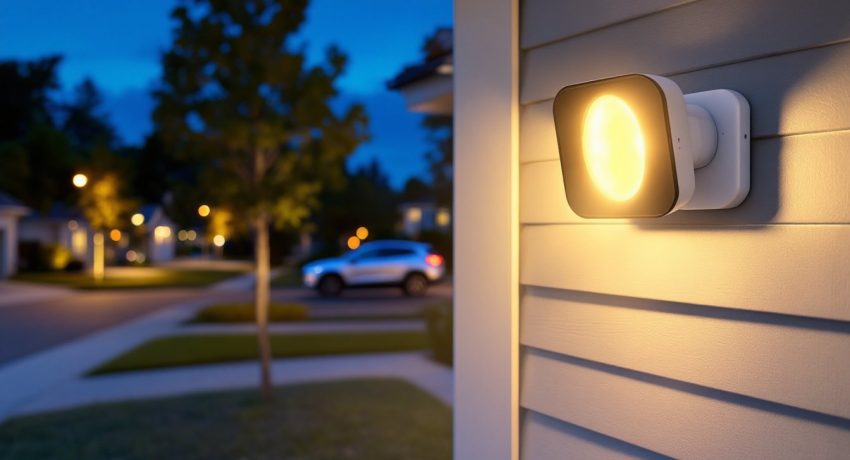

Outdoor security cameras have come a long way from grainy, motion-triggered blobs of light. The Blink Floodlight Camera combines motion-activated illumination with high-definition recording, no monthly subscription required for basic functionality. It’s a battery-powered or hardwired option that fills the gap for homeowners who want bright deterrent lighting and video monitoring in one package. Whether you’re covering a driveway, backyard, or side entry, understanding what this camera can (and can’t) do will help you decide if it’s the right fit for your property. This guide walks through specs, installation requirements, performance benchmarks, and real-world value.
Table of Contents
ToggleKey Takeaways
- The Blink Floodlight Camera combines 1080p HD video with motion-activated 700-lumen LED lighting, offering a no-subscription option with local storage via the Sync Module 2 and a USB drive.
- Battery-powered or hardwired installation gives homeowners flexibility; wireless mode lasts 18–24 months on four D-cell lithium batteries, while hardwired setup eliminates battery costs and keeps the floodlight always ready.
- Motion detection uses passive infrared sensors with customizable zones to reduce false alerts from sidewalks and trees, with push notifications arriving within 3–5 seconds and recording starting in under two seconds.
- At $99–$129 upfront (or $139–$159 with the Sync Module bundle), the Blink Floodlight Camera undercuts competitors like Ring and Arlo while providing local storage without monthly fees—a major advantage for budget-conscious DIYers.
- Night vision infrared reaches up to 26 feet, providing clear black-and-white footage in total darkness, though supplemental lighting can improve longer-range color capture.
- Two-way audio and customizable motion zones make this camera practical for monitoring driveways, entries, and backyards, though users should expect 3–5 days of sensitivity tweaking after installation on busy streets.
What Is the Blink Floodlight Camera and How Does It Work?
The Blink Floodlight Camera is a 1080p outdoor security camera paired with a 700-lumen LED floodlight. It’s designed to detect motion, trigger the flood lamps, and start recording, all within a second or two of activation. Unlike competitors that require constant hardwiring for floodlight operation, Blink’s model runs on four D-cell lithium batteries (included) for up to two years under typical use, or can be hardwired to a standard outdoor junction box for uninterrupted power.
Motion detection uses passive infrared (PIR) sensors, which pick up heat signatures from people, animals, or vehicles. When triggered, the camera records a clip (default length is 30 seconds, adjustable to 60) and sends a push notification to your phone via the Blink Home Monitor app. The floodlight stays on for a preset duration, anywhere from 10 seconds to three minutes, giving you time to assess the situation or deter unwanted visitors.
The system connects to your home Wi-Fi (2.4 GHz only: 5 GHz isn’t supported) and requires the Blink Sync Module 2 (sold separately or bundled) to enable local video storage on a USB drive. Without the module, clips are stored in the cloud under Blink’s optional Subscription Plus plan, but local storage keeps your footage accessible without ongoing fees. This flexibility makes the Blink camera floodlight a practical choice for budget-conscious DIYers who don’t want recurring costs eating into their security setup.
Key Features That Set the Blink Floodlight Camera Apart
1080p HD Video with HDR
The camera captures crisp daytime footage with high dynamic range (HDR), which balances bright and shadowy areas, useful if you’re monitoring a porch with direct sunlight hitting one corner. Night vision switches to infrared, giving you a clear black-and-white feed up to 26 feet in total darkness.
Two-Way Audio
A built-in microphone and speaker let you talk to delivery drivers, warn off trespassers, or tell the neighbor’s cat to quit digging in your garden. Audio quality is clear enough for short exchanges, though wind noise can garble things if your mount is fully exposed.
Customizable Motion Zones
You can draw activity zones in the app to ignore sidewalks, streets, or tree branches that trigger false alerts. This feature works well once you dial it in, but expect to tweak settings for a few days after install, especially if you live on a busy street.
Dual Power Options
Battery mode offers wire-free placement anywhere within Wi-Fi range. Hardwired mode (120V AC) keeps the floodlight ready 24/7 and eliminates battery swaps. Both configurations use the same mounting bracket, so you can switch later if your needs change.
Local and Cloud Storage
With the Sync Module 2 and a USB flash drive (up to 256 GB), you get rolling local storage at no recurring cost. Cloud storage requires a subscription but adds features like extended clip length and person detection. Many homeowners stick with local-only to avoid fees.
Weather Resistance
Rated IP65, the housing resists rain, snow, and dust. It’s not submersible, but it’ll handle typical outdoor exposure, just don’t mount it where sprinklers hit it directly or standing water pools on the bracket.
Installation Guide: Setting Up Your Blink Floodlight Camera
Wiring and Mounting Requirements
Battery-Only Installation
- Choose your location. The camera should be 7–10 feet above ground for optimal PIR coverage and floodlight spread. Mark two pilot holes using the included mounting plate as a template.
- Drill and anchor. Use a 1/4-inch masonry bit for brick or concrete, a standard twist bit for wood siding or trim. Insert the included plastic anchors if mounting to masonry.
- Attach the bracket. Secure with the provided screws. The bracket has a ball-and-socket joint, so you’ll aim the camera after it’s powered on.
- Install batteries. Slide four D-cell lithiums into the rear compartment (access by twisting the camera body counterclockwise). Snap the camera onto the bracket.
- Pair with the app. Open Blink Home Monitor, tap “Add Device,” scan the QR code on the camera’s label, and follow the prompts. You’ll connect to your Wi-Fi and Sync Module here.
Hardwired Installation
If you’re replacing an existing outdoor light or running new wire, you’ll need basic electrical skills. Turn off power at the breaker before starting.
- Verify your junction box. The camera mounts to a standard round or octagonal 4-inch box. If you’re installing fresh, use a weatherproof box rated for wet locations (per NEC Article 314).
- Run 14/2 NM-B cable (or UF-B for underground/outdoor runs) from a 15-amp circuit to the box. Secure with cable clamps. If you’re unsure about load calculations or code compliance, hire a licensed electrician, most jurisdictions require permits for new outdoor circuits.
- Connect wires. Match black (hot) to black, white (neutral) to white, and ground (bare copper) to the green grounding screw in the box. The Blink wired floodlight camera uses push-in connectors, strip 1/2 inch of insulation and insert firmly.
- Secure the mounting plate over the box, tuck excess wire, and snap the camera into place.
- Restore power and test. The floodlight should blink briefly during boot-up. Complete app pairing as above.
Tools you’ll need:
- Drill/driver (cordless recommended)
- Bits: 1/4-inch masonry or wood twist, depending on substrate
- Wire stripper (hardwired only)
- Non-contact voltage tester (hardwired only)
- Level (optional but helpful for aesthetic alignment)
- Ladder tall enough to work comfortably at mount height
Safety note: Wear safety glasses when drilling overhead. If working with live electrical, confirm power is off with a tester before touching any wires.
Performance Review: Video Quality, Motion Detection, and Night Vision
Daytime Clarity
Under good lighting, the 1080p sensor delivers sharp images with accurate color balance. License plates are readable at 15–20 feet, and you can clearly identify faces within the camera’s 110-degree field of view. HDR helps when half your frame is in shadow, a common scenario for eaves-mounted cameras.
Night Vision Range
Infrared LEDs illuminate up to 26 feet, which covers most driveways and front porches. Beyond that distance, subjects appear as silhouettes. If you need longer range, consider pairing with supplemental low-voltage landscape lighting, it won’t interfere with the camera’s IR, and smart home technology continues to improve integration between devices.
Motion Sensitivity
Out of the box, the PIR sensor is tuned for medium sensitivity. You’ll likely adjust this in the app after a few days of false triggers (swaying bushes, passing cars). The Blink spotlight camera excels at detecting people approaching from the side, but direct head-on movement sometimes delays activation by a second. Once motion is detected, recording starts fast, usually within 1.5 seconds.
Floodlight Effectiveness
700 lumens isn’t stadium-bright, but it’s enough to startle someone creeping around at 2 a.m. and give your camera a clean color feed instead of relying on IR. The spread is wide, covering roughly 30 feet in a cone pattern. If you’re lighting a large yard, you’ll want multiple units or supplemental fixtures.
App Responsiveness
Push notifications arrive within 3–5 seconds of motion events on a stable Wi-Fi connection. Live view takes another 2–3 seconds to load. It’s not instant, but it’s fast enough for real-time monitoring. Battery life in wireless mode averages 18–24 months with moderate use (10–15 events per day). Hardwired mode eliminates this variable entirely.
Pricing, Subscription Plans, and Long-Term Value
Upfront Cost
The Blink flood camera typically retails around $99–$129, depending on bundles. Kits that include the Sync Module 2 run closer to $139–$159. That’s competitive with other battery-powered floodlight cameras, especially given the dual-power flexibility.
Subscription Options
- Free (Local Storage): Requires Sync Module 2 and a USB drive (sold separately: a 64 GB stick runs $10–15). Stores clips locally with no monthly fee. You lose cloud backup and advanced AI features (person detection, extended clip length).
- Basic Plan ($3/month per device): Cloud storage for one camera, 60-day clip retention, person detection.
- Plus Plan ($10/month, unlimited cameras): Covers all Blink devices on your account, adds extended warranties, and priority support.
For single-camera setups, local storage is the best value. If you’re building out a multi-camera system and want centralized cloud access, the Plus plan makes sense. Compared to competitors like Ring (which requires a subscription for any cloud storage), Blink’s free local option is a major differentiator.
Battery Replacement Costs
Four D-cell lithium batteries cost $15–25 every two years in battery mode. Hardwiring eliminates this expense and keeps the floodlight always ready.
Competitor Comparison
The Ring Floodlight Cam Wired (hardwired only, requires subscription) starts around $199. Arlo’s floodlight camera (also subscription-dependent) runs $249+. Blink undercuts both on price and offers more flexible power options, though outdoor security cameras in the same price bracket often sacrifice brightness or resolution. If you’re evaluating features across brands, weigh upfront cost against long-term subscription expenses and your specific coverage needs.
Long-Term Value
Over five years with local storage, your total cost is roughly $140 (camera + module) plus $40 in batteries (if wireless) or $0 (if hardwired). That’s hard to beat for a 1080p camera with integrated lighting. The main trade-off is ecosystem lock-in, Blink works with Alexa but has limited integration with Google Home or Apple HomeKit as of 2026, according to major tech review sites.
Conclusion
The Blink Floodlight Camera delivers solid video quality, practical dual-power options, and meaningful cost savings for homeowners who want security lighting without recurring fees. It’s best suited for single-story homes, garages, and entry points within 30 feet of the camera. Installation is straightforward for battery mode: hardwiring requires basic electrical skills or a licensed pro. If you value local storage and don’t need cutting-edge AI features, this camera earns its place on the short list.